
Table of Contents
By ERYLIN — Your home, beautifully lived in.
There is something quietly powerful about a room that does two things well. It holds your morning coffee, your evening stillness — and somewhere in between, your most focused, productive hours. The modern living room work from home setup is no longer a compromise. It is a design intention.
At ERYLIN, we believe your workspace should feel like an extension of who you are — not a folding table pushed into a corner. Whether you live in a cozy condo in Quezon City or a sunlit apartment with one good window, your living room can carry both worlds with grace.
This guide walks you through every layer: where to place your desk, how to hide it when the workday ends, which styles actually hold up on Zoom, and how to build a biophilic WFH corner that calms you and impresses your clients. All of it warm, all of it practical, all of it yours.
Let’s begin where all good design starts — with intention.
How Do I Set Up a Home Office in My Living Room?
Setting up a home office in your living room starts with choosing one deliberate zone — a corner, an alcove, a wall — and committing to it. Clarity of placement transforms even the smallest area from cluttered afterthought to purposeful workspace.
Quick-Start Checklist: Living Room WFH in 5 Steps
- Choose your zone (corner nook, behind the sofa, beside a window, or under the stairs)
- Select a desk that fits the scale of your space (60–120 cm wide for most condo setups)
- Add task lighting at eye level or above to reduce screen glare
- Introduce one grounding element: a rug, a plant, or a small shelf unit
- Manage cables before anything else — visible wires undo beautiful design
Done thoughtfully, this five-step foundation takes an afternoon. The room you come home to at 6 PM will feel entirely different from the one you left at 9 AM.
Where Should I Place My Desk in the Living Room for Work From Home?
Placement is the single most important decision in any living room home office. The right spot balances natural light, visual separation, and how the space feels when you are not working.
Corner Nook Desk
A diagonal desk tucked into a room corner uses otherwise dead space with remarkable efficiency. Face the desk toward the room — not the wall — and you gain a sense of openness that keeps the energy from feeling too closed-in.
Behind the Sofa Desk
Positioning a slim console-style desk directly behind your sofa creates a natural boundary between lounge and work zones without any physical partition. Keep the desk depth at 45–55 cm so it clears the sofa back comfortably and still holds a laptop plus a small monitor.
Between Windows or Alcove Office
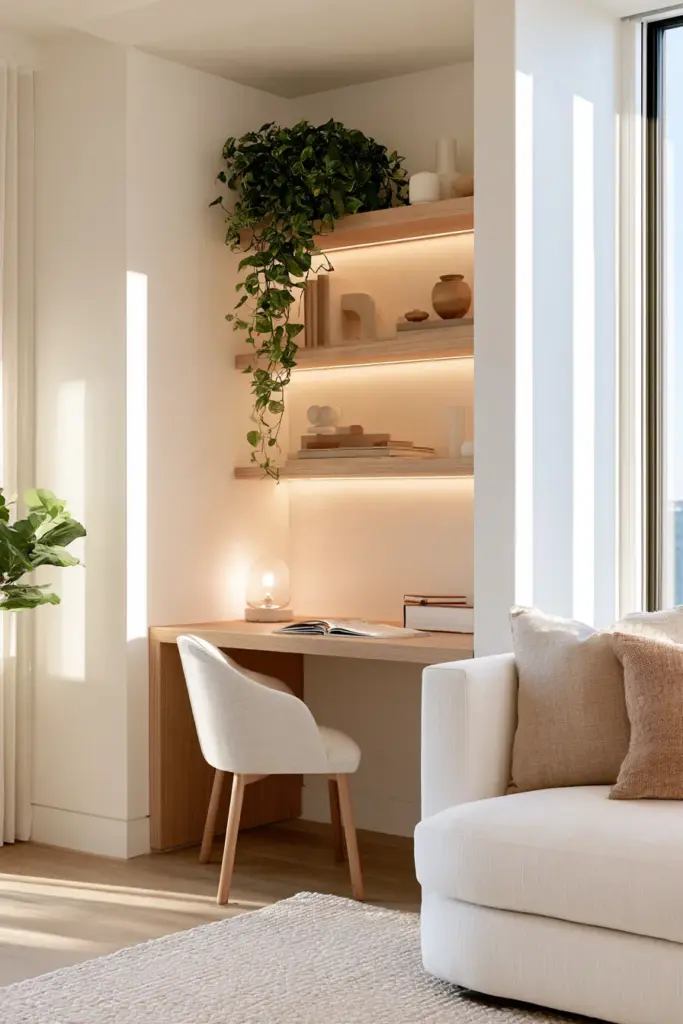
If your living room has two windows close together, the wall between them is golden real estate. A floating desk mounted here receives soft, even sidelight — flattering for video calls and easy on the eyes during long working hours.
Window Ledge Desk and Under-Stairs Desk
A deep window ledge (30 cm or more) can become a laptop-friendly perch with a low-profile ergonomic stool. Under-stairs nooks, common in duplex units, become beautifully intimate alcove offices with a built-in shelf and one pendant light.
Window Placement Guide: Avoiding Backlight on Camera
| Window Direction | Morning Light | Afternoon Light | Best Desk Placement |
|---|---|---|---|
| East-facing | Bright, warm | Soft and diffused | Sit facing or beside the window |
| West-facing | Soft and cool | Harsh glare | Sit perpendicular — never facing it |
| North-facing | Even, neutral | Consistent all day | Ideal — face the window directly |
| South-facing | Strong direct sun | Very bright | Use a sheer curtain; sit to the side |
Desks That Disappear: Fold-Down, Cabinet & Coffee Table Solutions
How to Hide a Desk in the Living Room
The most elegant living room home office is the one that disappears by 6 PM. Concealment is not about hiding work — it is about reclaiming rest.
A fold-down wall desk (also called a murphy desk or secretary desk) mounts flush against the wall and folds open in seconds. When closed, it looks like a framed panel, a cabinet front, or a piece of wall art. Look for versions with built-in cable channels so nothing trails when you close up.
A roll-top desk or secretary desk with a tambour closure gives you full organisation inside — cubbies, a pencil tray, a small shelf — while presenting a clean, furniture-like face to the rest of the room.
For the most space-savvy solution, a convertible coffee table desk or lift-top coffee table workspace raises to ergonomic height with one motion, then lowers back into everyday use. Pair it with a supportive floor cushion or a low ergonomic stool for proper posture.
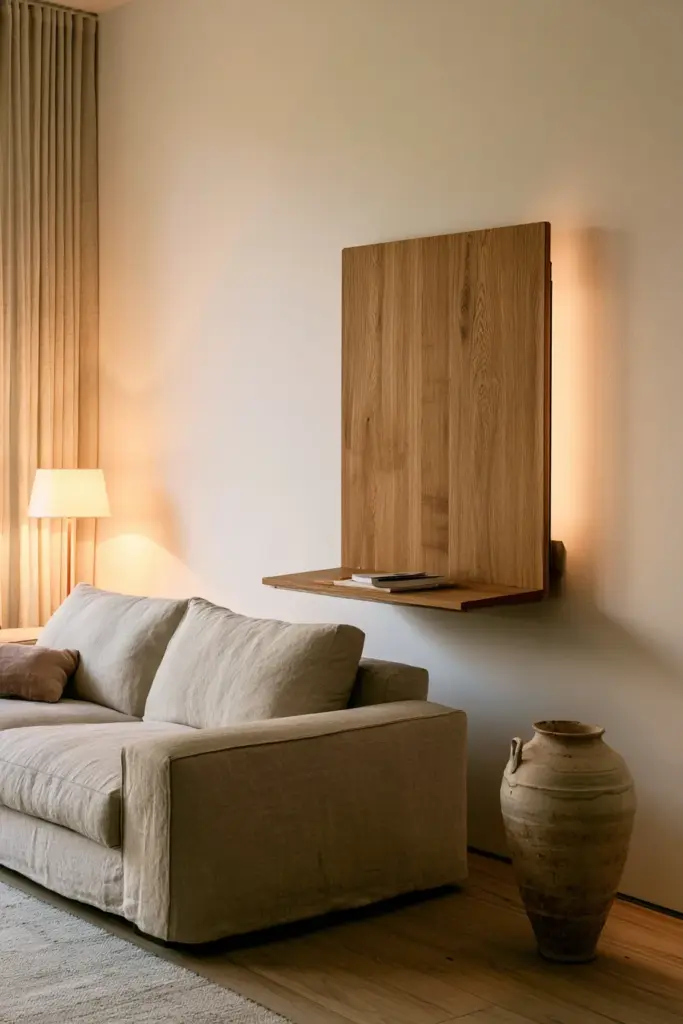
Desk Type Comparison
| Desk Type | Space Needed | Price Range (PHP) | Style | Visible When Not in Use |
|---|---|---|---|---|
| Fold-down wall desk | Minimal wall space | ₱4,000–₱15,000 | Modern, Japandi | Barely — looks like a panel |
| Secretary / roll-top | 60–90 cm width | ₱5,000–₱20,000 | Classic, eclectic | Yes, but beautiful as furniture |
| Lift-top coffee table | Footprint of a coffee table | ₱3,500–₱12,000 | Modern, neutral | No — reads as coffee table |
| Floating wall-mount desk | 40–90 cm wall | ₱2,500–₱8,000 | Minimalist, Japandi | Slim profile; low visual noise |
| Glass / transparent desk | 80–120 cm width | ₱6,000–₱18,000 | Contemporary modern | Present but visually light |
How to Separate Work Area from Living Area in the Same Room?
Defining a Micro-Zone
You do not need walls to create separation. A 1.2 m × 1.2 m WFH micro-zone can be defined entirely through layering: an accent rug anchors the floor, a pendant light or arc floor lamp marks the ceiling plane, a small bookshelf on one side adds a soft visual edge, and a slightly different wall tone or removable wallpaper panel signals the shift. The result is a zone that feels distinct without closing off your living room.
Room Dividers and Soft Partitions
A DIY room divider using a bookshelf, a rattan screen, or a tall planter row gives the WFH corner a gentle boundary. This works especially well in open floor plan home offices and studio apartment WFH setups where physical walls are not an option.
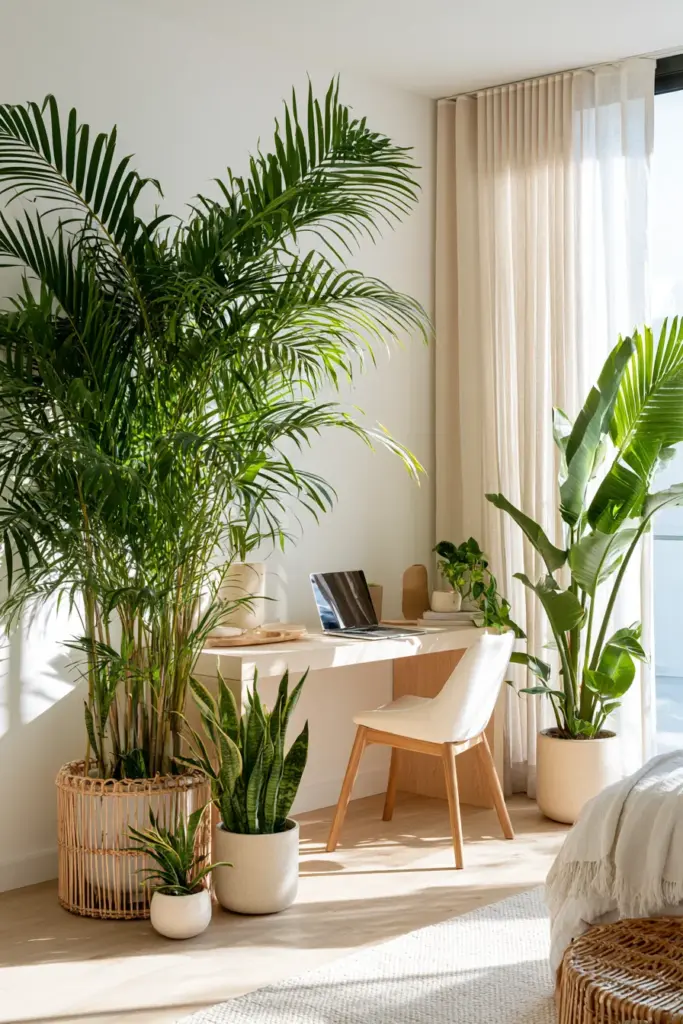
Plant dividers are one of our favourite tools at ERYLIN. A row of tall, structural plants — think snake plants, bamboo palms, or bird of paradise — creates a living wall between the work zone and the lounge area. They soften the boundary beautifully and add biophilic calm to your backdrop on camera.
Japandi & Eclectic Modern WFH Corners
Japandi WFH Corner in a Small Living Room
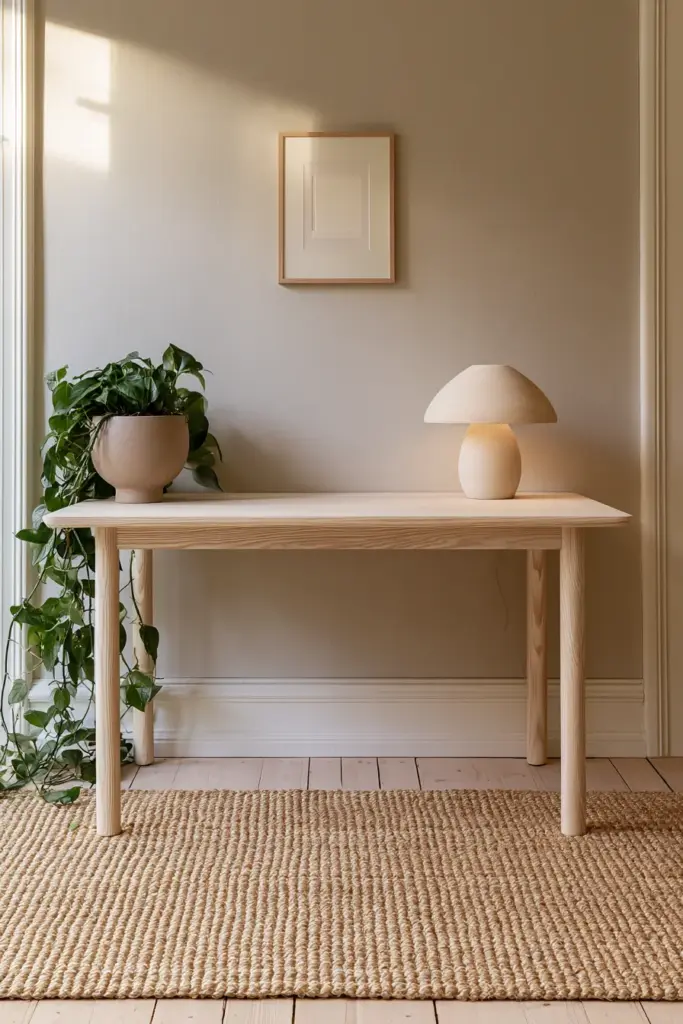
Japandi — the quiet marriage of Japanese minimalism and Scandinavian warmth — is perhaps the most natural expression of a modern living room work from home setup. The aesthetic begins with warm neutrals: linen, sand, stone, pale ash wood. The desk is low-profile, slim, and unadorned. Storage is hidden. Every object earns its place.
A Japandi WFH corner might include:
- A floating ash wood desk at 72 cm height with no visible hardware
- A woven grass rug in warm beige beneath the chair
- A single ceramic vessel with a trailing pothos nearby
- Warm-white task lighting with a paper or natural linen shade
- Clean cable management hidden inside a bamboo cable box
The result looks composed on video calls. The soft textures absorb sound. And the neutral palette gives your background the quality of a curated lifestyle photo — without a single styled prop.
Eclectic Modern Living Room Office That Still Looks Curated on Camera
Eclectic modern WFH spaces layer vintage finds with current pieces, bold colours with raw textures, and personal objects with functional design. The key to making this look intentional — rather than messy — is one strong anchor.
An antique roll-top desk in walnut. A sculptural curved desk in white. A bold accent chair in terracotta linen. Build around that one statement piece, keep the background behind your desk relatively calm, and let the personality live on the sides.
Use a gallery wall to anchor the zone: three to five framed prints in coordinating tones give your video call background depth and personality without visual chaos.
Rental-Friendly, No-Drill Living Room Office Setups
Living in a rental should never mean sacrificing a beautiful WFH corner. Everything described in this guide can be installed without a single screw into your wall — and reset for guests in under ten minutes.
Non-Permanent Strategies:
- Use floor-standing shelving units (IKEA-style) as vertical storage that moves with you
- Cable management clips with peel-and-stick backing keep wires tidy along skirting boards
- Tension rod systems inside cabinets create temporary cable channels
- Heavy furniture as anchors — a sofa or bookshelf placed beside the desk creates a stable micro-zone without wall mounts
- Freestanding room dividers and floor-standing pegboards give you organisation and visual boundary with zero drilling
A fold-down wall desk on French cleat mounting uses only two screws on a stud — removable in minutes and wall-repairable with spackling paste.
Reset-in-10-Min WFH Living Room:
When guests arrive, fold the desk closed, roll the ergonomic chair into a cupboard, push the cable box out of sight, and your living room is entirely back to itself. Design this deliberately from the start and you will never dread having people over.
Designing a WFH Background That Looks Great on Zoom
Your camera sees roughly 1.5 metres of wall behind you. That zone is your professional backdrop — and it deserves as much design attention as your desk surface.
What to Show on Camera
- A curated shelf or gallery wall in muted tones
- One or two plants (snake plant, pothos, or peace lily — all camera-calm and light-tolerant)
- Soft, layered lighting (a warm ambient lamp behind you creates beautiful depth)
- A clean, coordinated colour palette — nothing jarring or overly busy
What to Minimise
- Visible clutter, cables, or open storage boxes
- High-contrast patterns directly behind your head
- Bright windows directly behind you (backlight washes out your face)
- Unrelated personal items — keep it intentional, not autobiographical
Glare and Acoustics
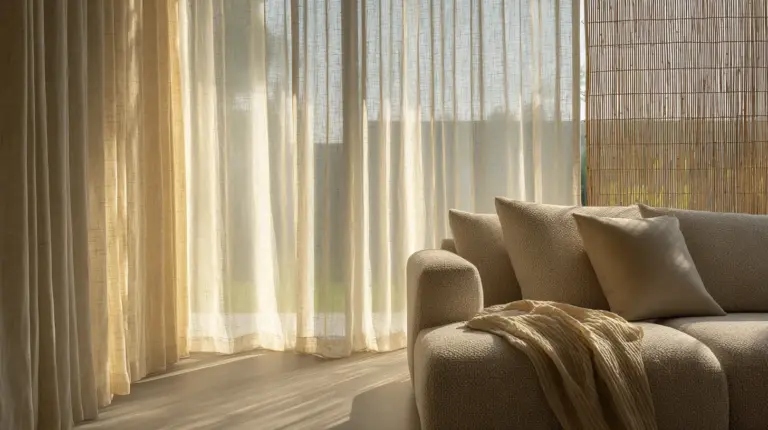
East or north-facing windows are ideal for WFH. For west-facing rooms, use a sheer linen curtain to diffuse afternoon glare without blocking the light entirely. Add a large area rug, floor-length curtains, and soft-upholstered furniture to reduce echo — a very common issue in bare-walled condominiums. Acoustic panels can be styled as wall art if you choose them carefully.
Plants as WFH Tools: Biophilic Work Zones in the Living Room
Biophilic WFH Corner: Plants That Improve Focus and Look Great on Zoom
Biophilic design is not decoration. It is the intentional use of nature — light, texture, greenery, organic shape — to support human wellbeing. In a living room WFH setup, plants do three things at once: they clean the air, calm the visual field, and signal a sense of care and intention to anyone on a video call with you.
Best WFH Plants by Function:
| Plant | Light Need | Air Quality | Camera Presence | Care Level |
|---|---|---|---|---|
| Snake plant | Low–medium | Excellent | Structural, elegant | Very easy |
| Pothos | Low | Good | Trailing softness | Very easy |
| Peace lily | Low–medium | Excellent | Lush, full | Easy |
| Bamboo palm | Bright indirect | Very good | Tropical, warm | Moderate |
| ZZ plant | Low | Good | Glossy, architectural | Very easy |
Position one plant at desk level (in a small ceramic pot beside the monitor) and one larger plant at floor level in the corner behind you. This creates depth on camera and grounds the zone in organic texture.
Ergonomic WFH in Small Tropical Apartments: Heat, Humidity, and Posture
Ergonomics & Tech Setup
In the Philippine climate, your WFH setup must account for more than aesthetics. Heat and humidity directly affect your focus, your equipment, and your posture over long workdays.
Key ergonomic principles for small tropical apartments:
- Monitor height: screen top at or just below eye level — a monitor riser or stack of books works immediately
- Desk depth: 45–55 cm minimum for a laptop + external monitor setup
- Chair: an ergonomic chair with lumbar support is non-negotiable for 6+ hour workdays; budget options from local stores start around ₱2,500–₱4,000
- Ventilation: position your desk near a window or fan cross-flow — heat buildup slows processing (yours and your laptop’s)
- Cable management: use cable sleeves, furniture channels, or adhesive clips; visible cables trap dust and reduce airflow around devices
- Internet placement: router proximity matters — if your living room is far from your router, a mesh network node or powerline adapter keeps connection stable
Avoid the sofa-laptop trap entirely — even thirty minutes daily of hunched-forward posture on a soft sofa accumulates into chronic neck and back strain within weeks.
Day-to-Night WFH Routines: Designing a Living Room That Shifts
One of the most overlooked design opportunities in a home office in living room setups is the day-to-night transition. A room that reads as office at 9 AM and lounge by 7 PM is the true mark of intentional design.
Morning (Work Mode):
Natural light open, desk surface clear and active, ergonomic chair pulled in, task light on. The room is oriented toward focus.
Afternoon (Focus Mode):
Sheer curtain drawn to soften western glare, ambient lamp added beside the desk, a small tray with a glass of water and a candle — small sensory anchors that sustain energy.
Evening (Lounge Mode):
Fold the desk closed or push the chair aside. Dim the overhead light; bring in warm table or floor lamps. Light a candle — cedarwood, sandalwood, or eucalyptus. Pull a throw over the sofa. The room has changed its clothes entirely.
This transition is not complicated. It takes under five minutes. But designing the room to support it — with the right furniture, the right lighting layers, and the right concealment — makes all the difference.
Multi-User WFH Living Room: How to Fit Two Work Zones Without Chaos
For families or housemates sharing a living room WFH setup, the challenge is focus, not floor space. Two people on calls simultaneously in one room requires acoustic planning as much as spatial planning.
Parallel micro-zone strategies:
- Place desks on perpendicular walls rather than side by side — this creates L-shaped audio separation
- Use directional task lighting for each zone so visual territory feels distinct
- Invest in noise-cancelling headsets — the single highest-impact tool for multi-user WFH spaces
- Use bookshelf dividers or planter rows between zones rather than open air
- Agree on call scheduling where possible — staggered video call blocks reduce simultaneous noise dramatically
For parent-and-teen setups, make each zone visually distinct in personality. The teen’s corner can be bolder in colour; the parent’s zone, calmer and more minimal. Both feel like theirs.
Budget Modern Living Room WFH: Three Setups for ₱2k, ₱6k, and ₱12k
Entry-Level Setup (₱2,000–₱4,000)
- Foldable laptop table or slim writing desk (₱800–₱1,500 at Shopee or Lazada)
- Clip-on task lamp with warm-white LED (₱300–₱600)
- Adhesive cable management clips (₱150–₱250)
- One small plant + ceramic pot (₱200–₱400)
- A small rug from local ukay or surplus (₱300–₱700)
This setup creates a defined WFH zone for under ₱4,000, uses no drilling, and packs away in minutes.
Mid-Range Setup (₱5,000–₱10,000)
- Floating wall-mount desk or fold-down desk (₱2,500–₱5,000)
- Ergonomic mesh chair with lumbar support (₱2,000–₱4,000)
- Arc floor lamp or pendant (₱800–₱1,500)
- Cable box in bamboo or rattan (₱400–₱800)
- Two plants + decorative pots (₱600–₱1,200)
This tier gives you a fully functional, aesthetically composed WFH corner that looks deliberate and styled on camera.
Premium Setup (₱10,000–₱20,000+)
- Solid wood floating desk with custom bracket or built-in shelf (₱5,000–₱12,000)
- Full ergonomic chair with armrests and height adjustment (₱4,000–₱8,000)
- Dual monitor setup with monitor riser (₱1,500–₱3,000)
- Smart lighting (warm + daylight switchable) (₱1,000–₱2,500)
- Gallery wall, curated plants, quality rug, and acoustic panel art (₱2,000–₱5,000)
At this level, your living room WFH setup is indistinguishable from a designed home office — and it folds back into a beautiful living room every evening.
Key Takeaways: Your Modern Living Room WFH Checklist
- Choose one clear zone and anchor it with a rug + task light before anything else
- Desk placement near a north or east-facing window gives the best light for video and focus
- Concealment is design — fold-down, secretary, and lift-top desks make your room whole again after hours
- Japandi WFH corners are calm, camera-ready, and perfect for small Philippine living rooms
- Plants are tools, not just decoration — position one at desk level, one at floor level behind you
- No-drill setups can be beautiful, functional, and reset in minutes for guests
- Ergonomics before aesthetics — monitor height, chair support, and ventilation protect your health and productivity
- The day-to-night transition is a design intention, not an accident — build for it deliberately
Conclusion
Your living room already holds so much of your life. It holds your mornings and your evenings, your gatherings and your quietest hours. Adding a WFH setup to that space is not a disruption — it is an invitation to design more deliberately, more honestly, more you.
At ERYLIN, we believe the most beautiful home is the one that actually works for the life you live. Not the life in a catalogue. The one with the early deadlines, the long video calls, the evenings you want to simply exhale.
Design your living room WFH corner with that life in mind. Give it warmth. Give it order. Give it one candle and one plant and one good lamp. Then let the room do what beautiful, intentional spaces always do — hold you, quietly, exactly as you are.
Explore more from ERYLIN: lighting ideas for every room, cozy furniture for small living rooms, Japandi living room ideas, small apartment organisation.
FAQs
Can you have a home office in the living room?
Absolutely — and with the right design approach, it can feel completely intentional rather than improvised. The key is defining a clear zone, choosing furniture that doubles as living room pieces, and using concealment strategies so the workspace disappears when the workday ends.
What furniture do I need for a living room home office?
At minimum: a desk that fits your space (45–120 cm wide depending on room size), a supportive chair, a task lamp, and one storage solution (a shelf, a cable box, or a closed cabinet). From there, a rug to define the zone and one plant to soften it round out a fully functional setup.
How do I separate my work area from my living area in the same room?
Use a combination of a rug, directional lighting, and a soft visual boundary — a low bookshelf, a planter row, or a rattan screen. You do not need a wall. You need a layer of intentional design that tells your brain: this is where work lives, and that is where rest begins.
What lighting is best for a living room work from home setup?
Layer your lighting: natural light from a side window (never directly behind you), a warm-white task lamp positioned above or beside your monitor, and ambient lighting in the rest of the room. Avoid overhead-only lighting, which is flat and unflattering on camera. Warm-white LED (2700K–3000K) is the most flattering and least fatiguing for long work sessions.
How do I make my WFH background look good on camera?
Position your desk so the camera sees your face lit from the front or side — never from behind. Keep the 1.5 m of wall behind you clean: a curated shelf, a gallery wall in muted tones, or a few plants with a warm lamp behind them. Avoid clutter, bright windows directly behind you, and high-contrast patterns. Less is always more on camera.